Planning And Deliverables
Gobii can break larger requests into a visible plan with deliverables. Planning is useful when the work has multiple steps, needs external tools, depends on files, or could spend meaningful credits.
When a plan appears
A plan may appear when Gobii needs to:
- Research before producing an answer.
- Create files, tables, reports, or other deliverables.
- Use tools or connected apps in a sequence.
- Ask for approvals or credentials.
- Coordinate with another Gobii.
- Turn an ongoing responsibility into repeatable work.
Small questions may not need a plan.
What to check
Before letting a large plan run, check:
- Goal: Is the plan solving the right problem?
- Inputs: Does it reference the right files, apps, contacts, or sources?
- Boundaries: Does it avoid external communication or sensitive actions unless approved?
- Deliverables: Are the expected outputs concrete enough?
- Cadence: Is ongoing work intentional, with a clear timing?
- Cost: Is the likely credit usage appropriate for the value?
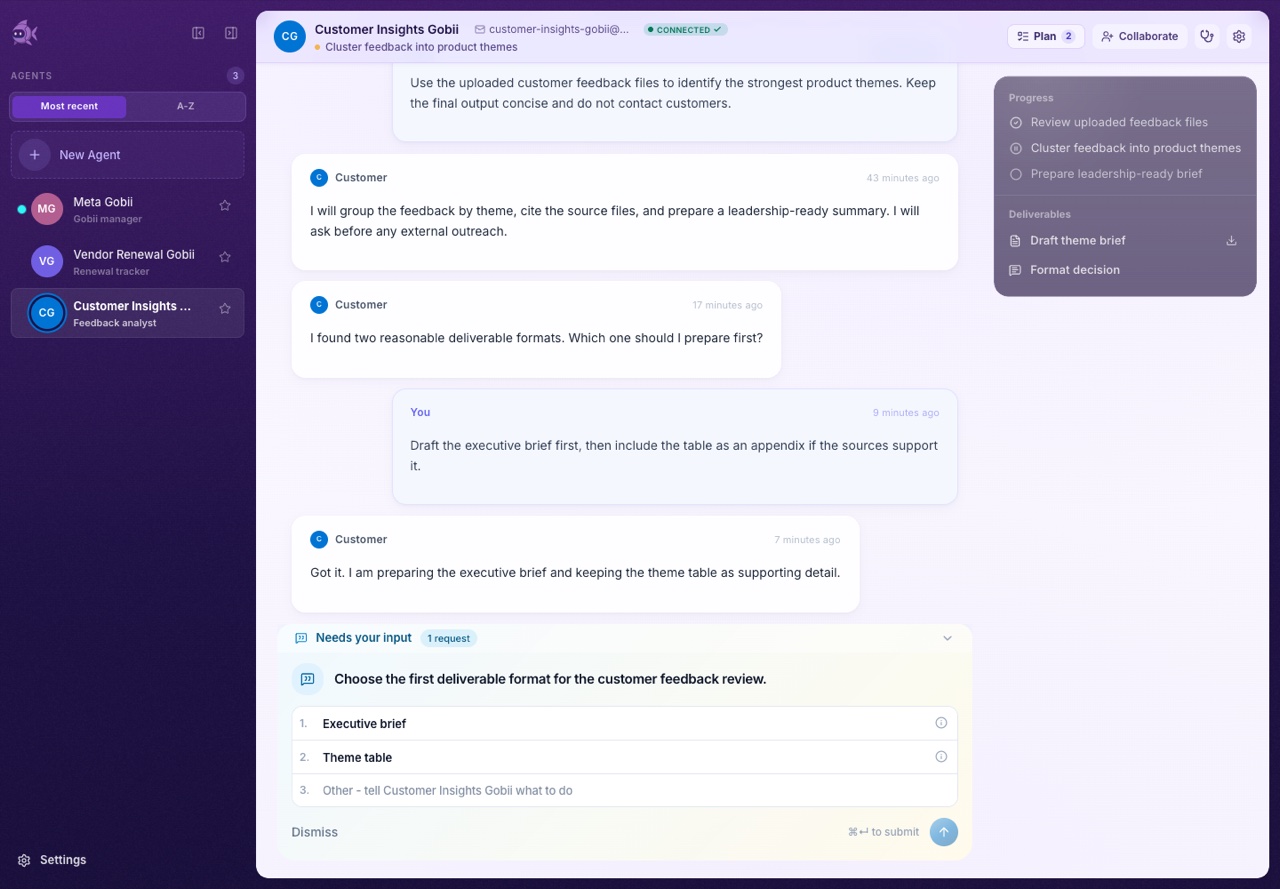
How to steer a plan
You can steer planning with plain language:
- "Make this a one-time research pass, not ongoing monitoring."
- "Turn the final output into a two-page leadership brief."
- "Use only the uploaded spreadsheet and our public pricing page."
- "Ask before contacting customers."
- "Do the first two steps, then wait for review."
- "Skip the app connection for now."
If the plan is wrong, correct it early. A short clarification can prevent wasted work.
Deliverable quality
Good deliverables are explicit. Instead of asking for "an analysis," ask for:
- A table with named columns.
- A brief with sections.
- A list of risks with owners and next actions.
- A generated file.
- A JSON object for handoff to another system.
- A summary with sources or file references.
For developer JSON output, see Structured Data.
Ongoing work
If you want recurring work, say so clearly:
- "Send a weekly update every Friday morning."
- "Check this dashboard daily and summarize only material changes."
- "Monitor this inbox for support escalations."
If you do not want recurring work, say that too:
- "This is one-time setup only."
- "Do not schedule recurring checks."
- "Prepare the team, but do not start ongoing outreach."
Meta Gobii and ordinary Gobiis should make recurring behavior visible before it becomes part of the work.
If a plan stalls
Check the timeline for:
- Pending human input.
- A credential request.
- A contact approval request.
- A file or app access problem.
- Daily credit pressure.
- A stopped or paused Gobii.
Then respond with the missing input or narrow the request.