Template Library
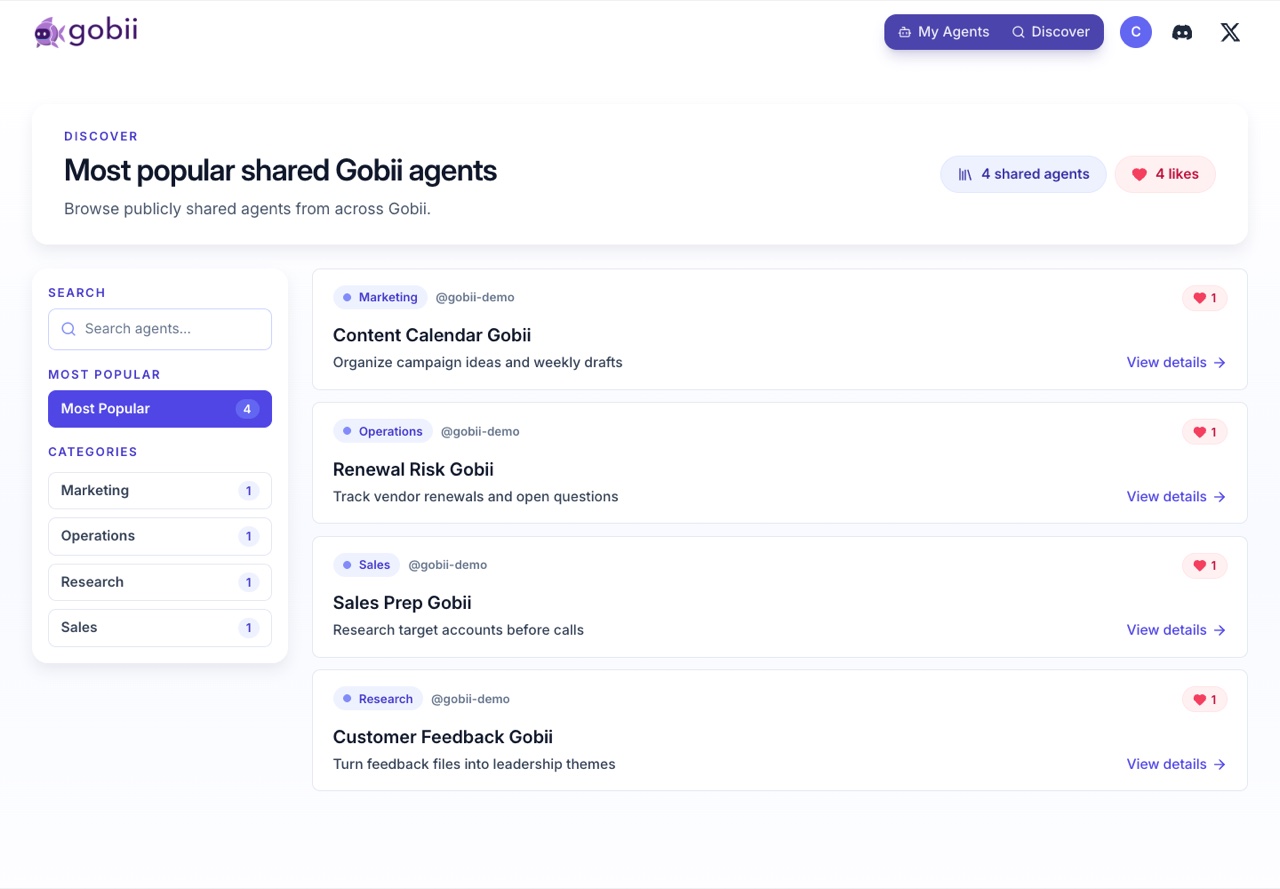
The Template Library is where you discover reusable Gobiis. A template captures a role, charter, description, category, suggested tools, schedule hints, and public profile information so you can start faster.
Open the library at gobii.ai/library.
When to use a template
Use a template when:
- The role is common, such as research, monitoring, sales prep, support triage, or content operations.
- You want to see how another Gobii is structured.
- You need a quick starting point and plan to customize later.
- You are evaluating what Gobii can do before writing a charter from scratch.
Create from scratch when the workflow is highly specific or includes sensitive systems that need careful setup.
Browse and evaluate
When reviewing a template, check:
- Name and tagline: the role it is designed to fill.
- Description: the business problem it targets.
- Charter: the standing instructions your Gobii will inherit or adapt.
- Category: how it is grouped in the library.
- Default tools or app needs: capabilities it may expect.
- Schedule or event triggers: whether the template implies ongoing work.
- Public profile: who published it and whether it fits your trust model.
Start from a template
- Open a template detail page.
- Review the description, charter, and expected behavior.
- Choose the action to create or hire a Gobii from the template.
- Customize name, charter, tools, channels, files, and limits.
- Review the first plan before connecting sensitive access or starting external communication.
The created Gobii is yours to configure. It is not automatically controlled by the template publisher.
Template safety
Templates are starting points, not approval to grant access. Before connecting apps, secrets, contacts, or external channels:
- Read the inherited charter.
- Remove instructions that do not fit your workspace.
- Connect only required tools.
- Use Approvals And Requests for external communication or sensitive changes.
- Store credentials through Secrets And Credentials.
Legacy URLs
Some older product routes and search results may still use legacy "pretrained worker" language. In current docs, the product concept is a Gobii template in the Template Library.